Find step-by-step guides to help you start using Meto Live as an Agent or Host. Learn how to register, complete your profile, verify your account, invite Hosts or Sub-Agents, and withdraw your earnings.
Follow these steps to register as a Meto Live Agent and access your Agent Dashboard.
Download the Meto Live app using the official download link.
Download NowCreate your Meto Live account. You can sign up using email, phone number, or Google account.
After creating your account, visit your Meto Live profile and copy your account ID. You will need this Meto ID to continue the agency registration process.
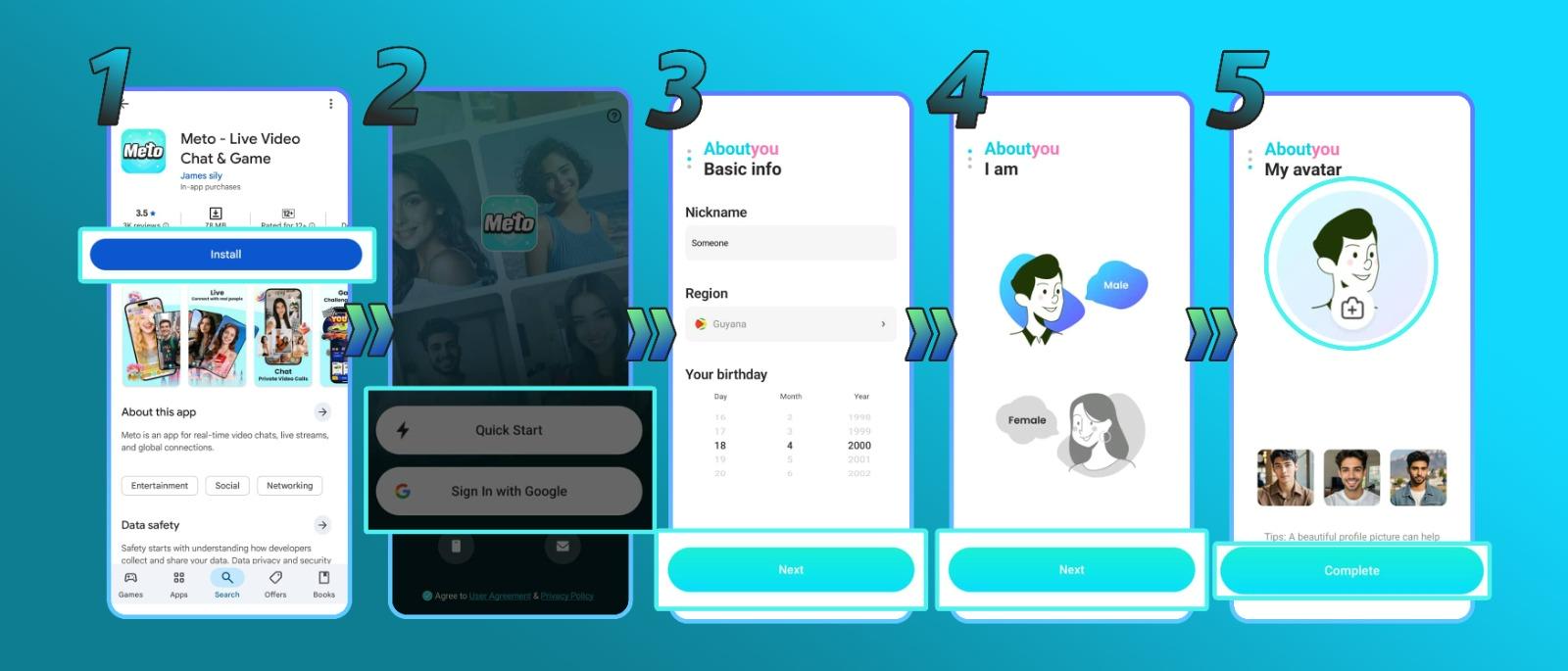
Go to the official Agency Registration page using the link below.
Open RegistrationPaste your Meto ID into the registration form, then click Get. You will receive a verification code message through your Meto Live app.
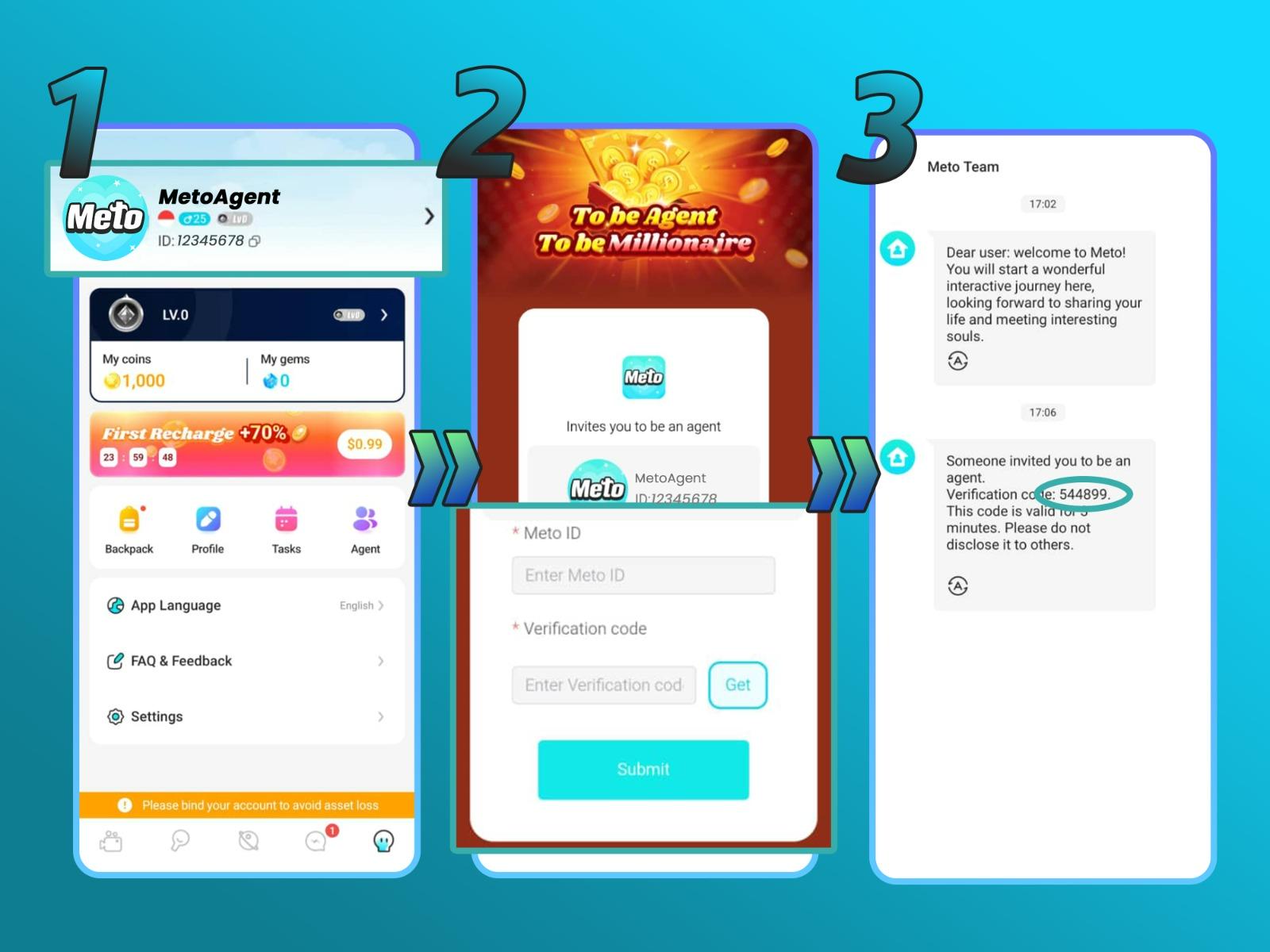
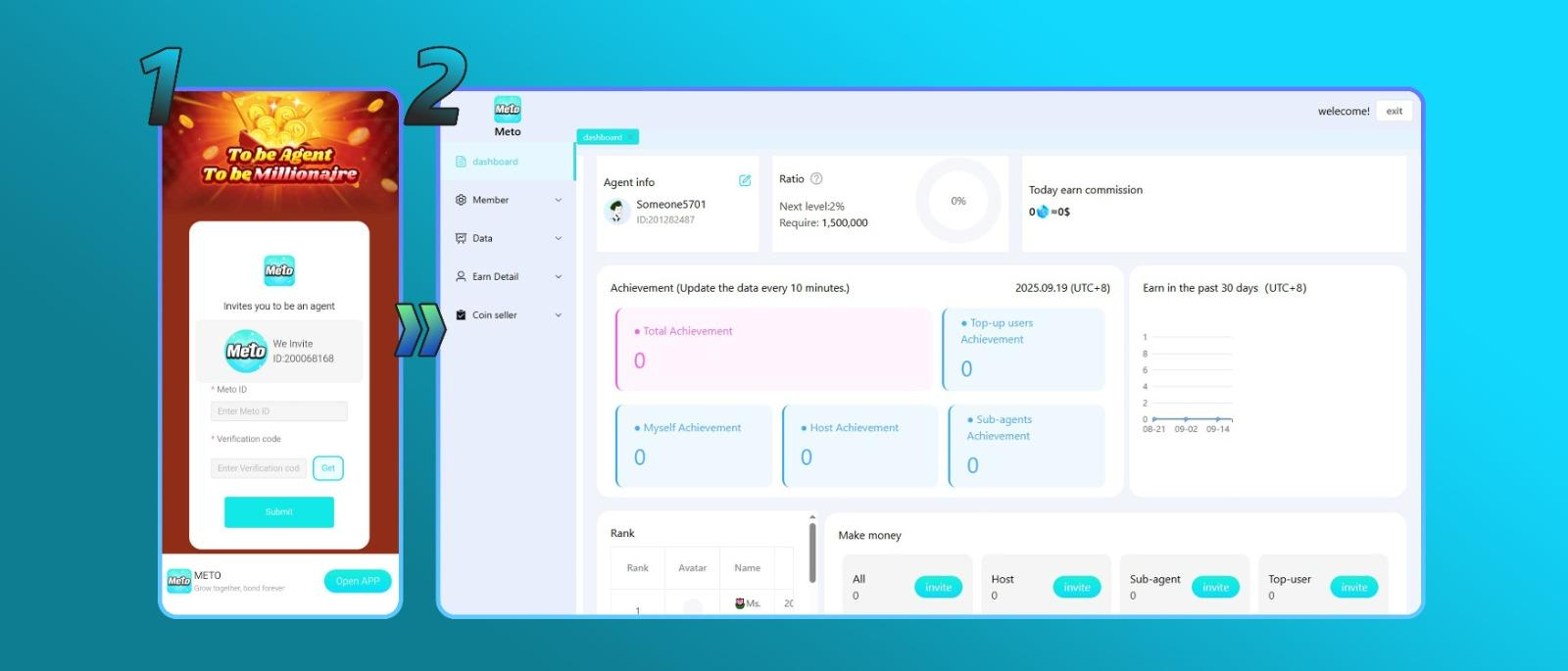
Enter the verification code, then click Submit. After submitting the code, you will be redirected to the Meto Live Agent Dashboard.
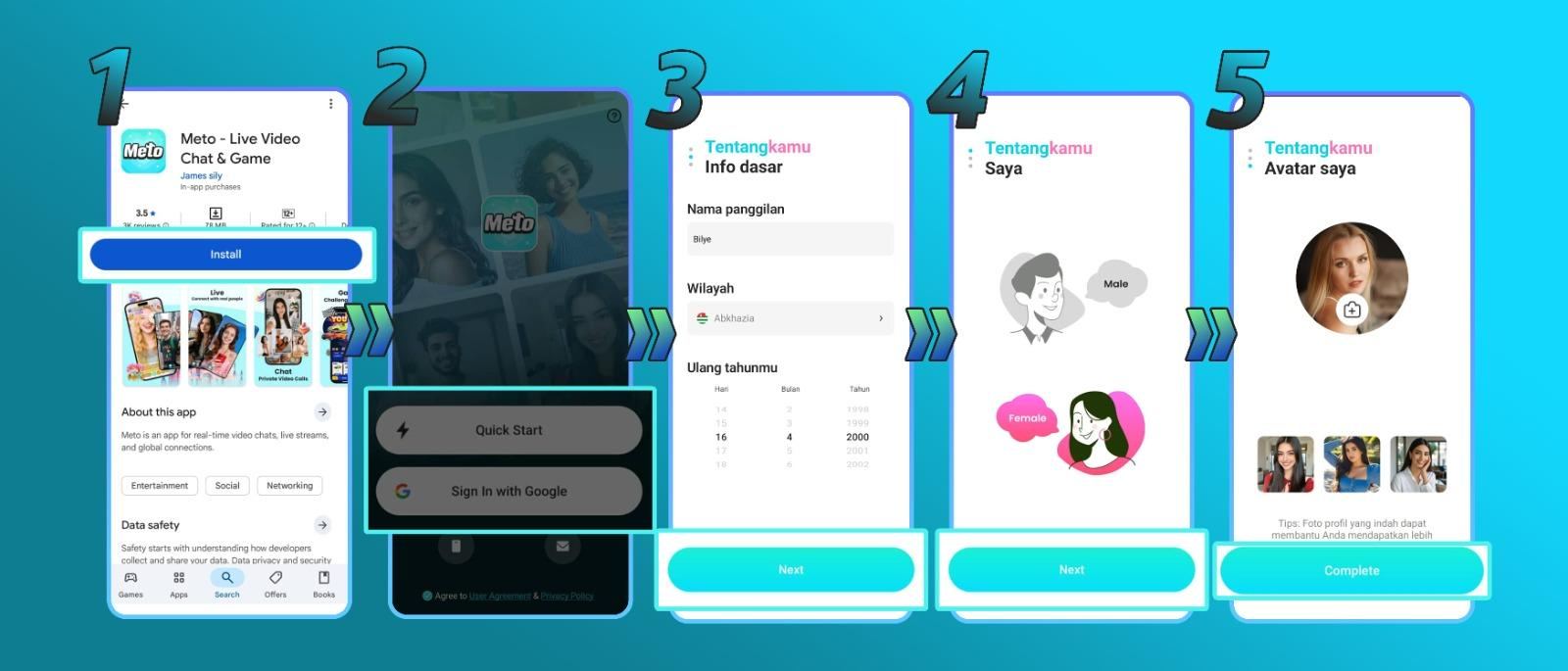
Follow these steps to create your Meto Live Host account and complete your basic profile.
Download the Meto Live app and create your account.
Download NowFill out your profile details, including name, profile photo, gender, and other required profile information.
Click Complete to finish your basic Host registration.
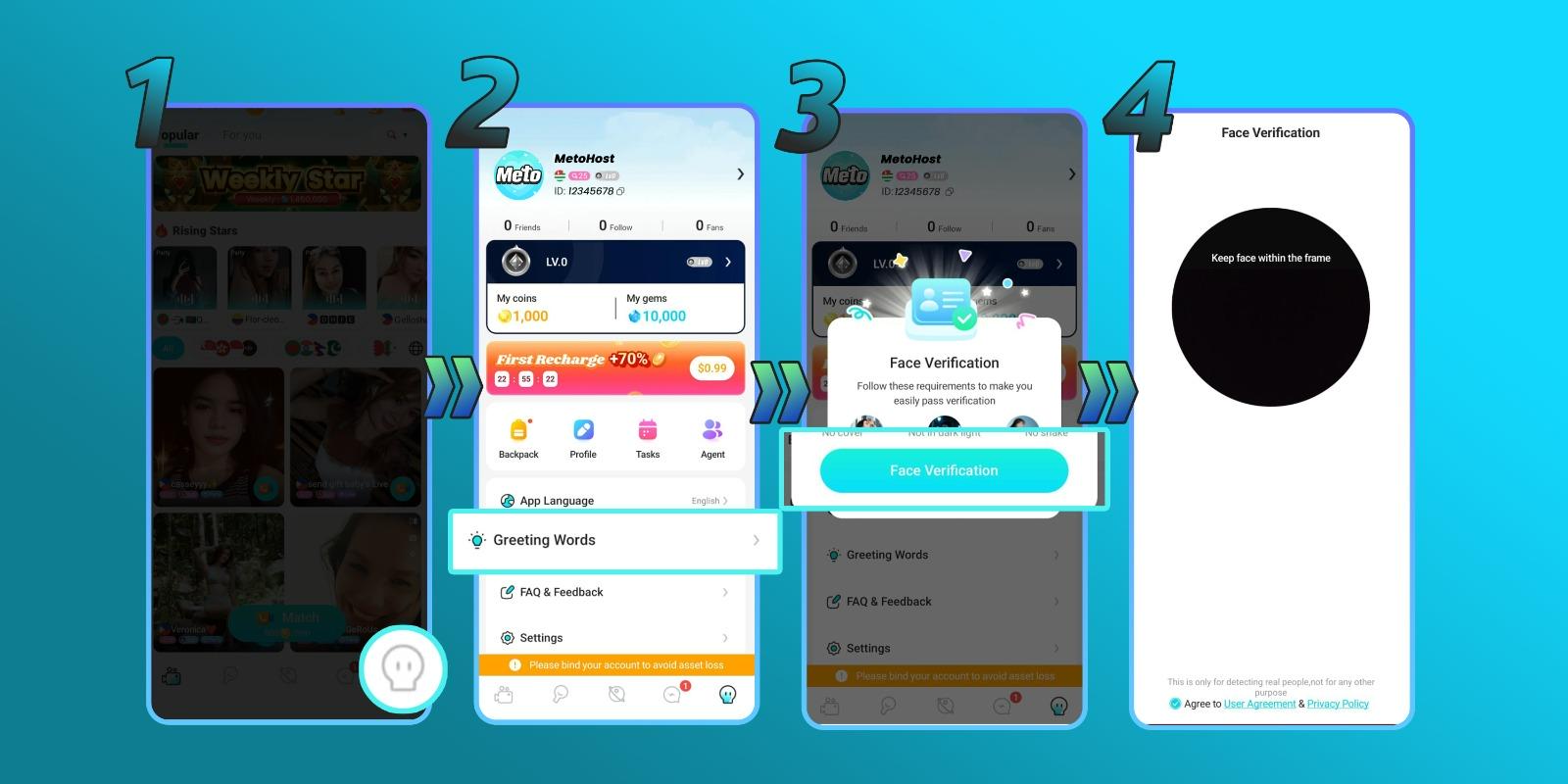
Face verification is required for Hosts to access Host features such as live streaming.
Login using your Host account.
Open your profile page inside the Meto Live app.
Click the Greeting Words menu.
Follow the instructions shown in the app. You may need to face the camera, blink, or move your head as instructed.
After completing verification, you can start using Host features such as live streaming.
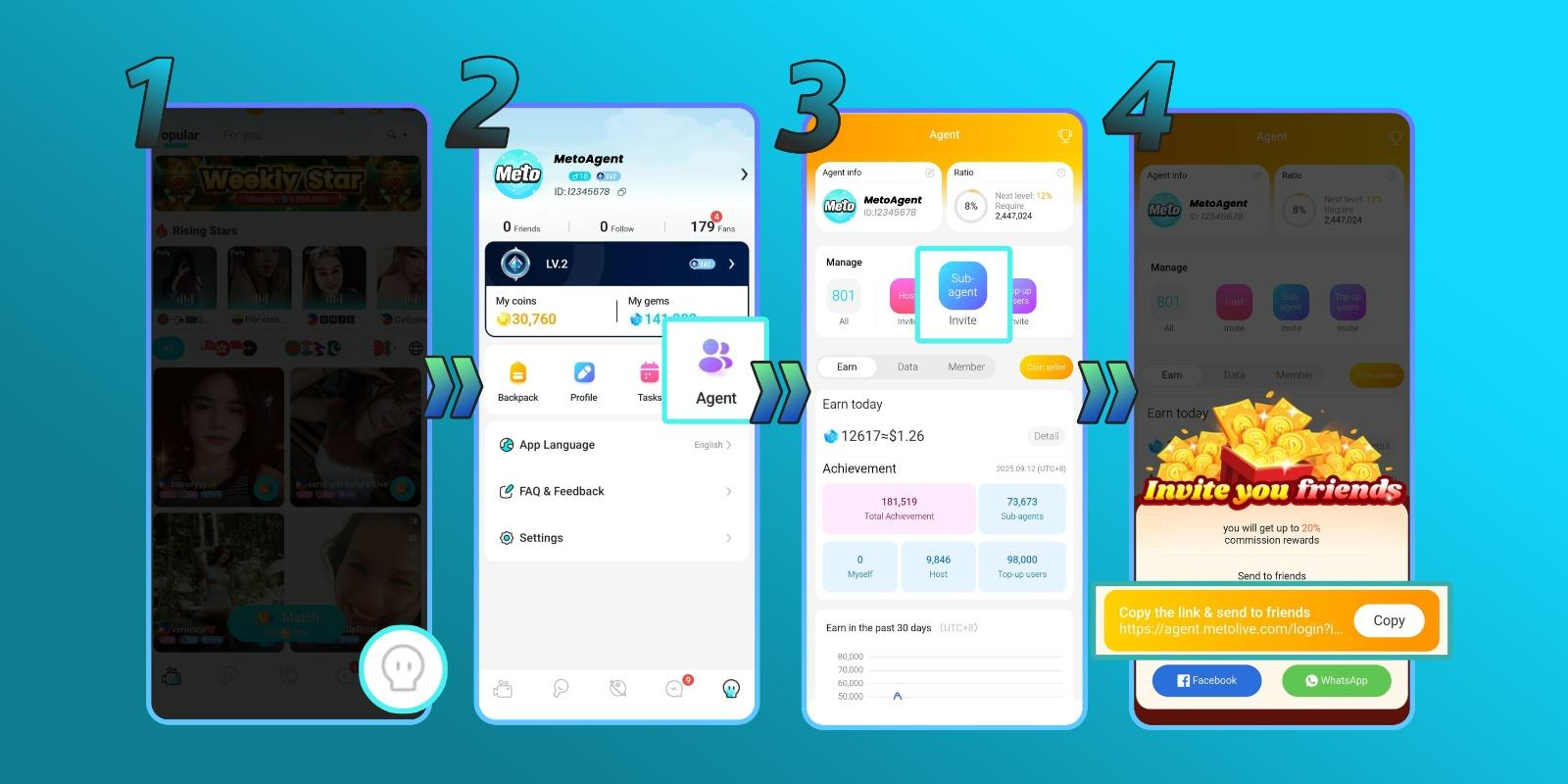
Agents can invite new Hosts directly from the Meto Live app.
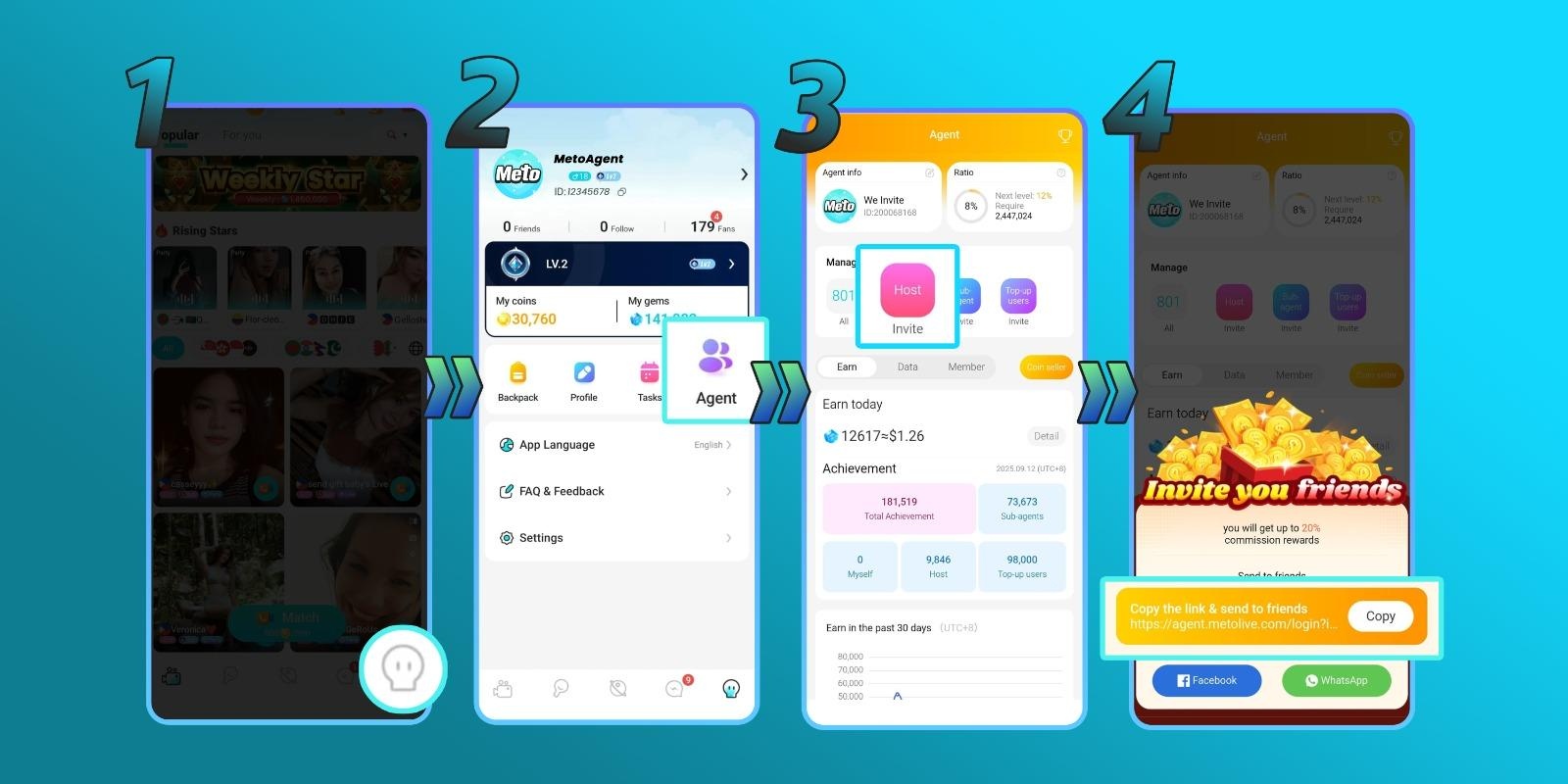
Agents can invite Sub-Agents to help expand their agency network.
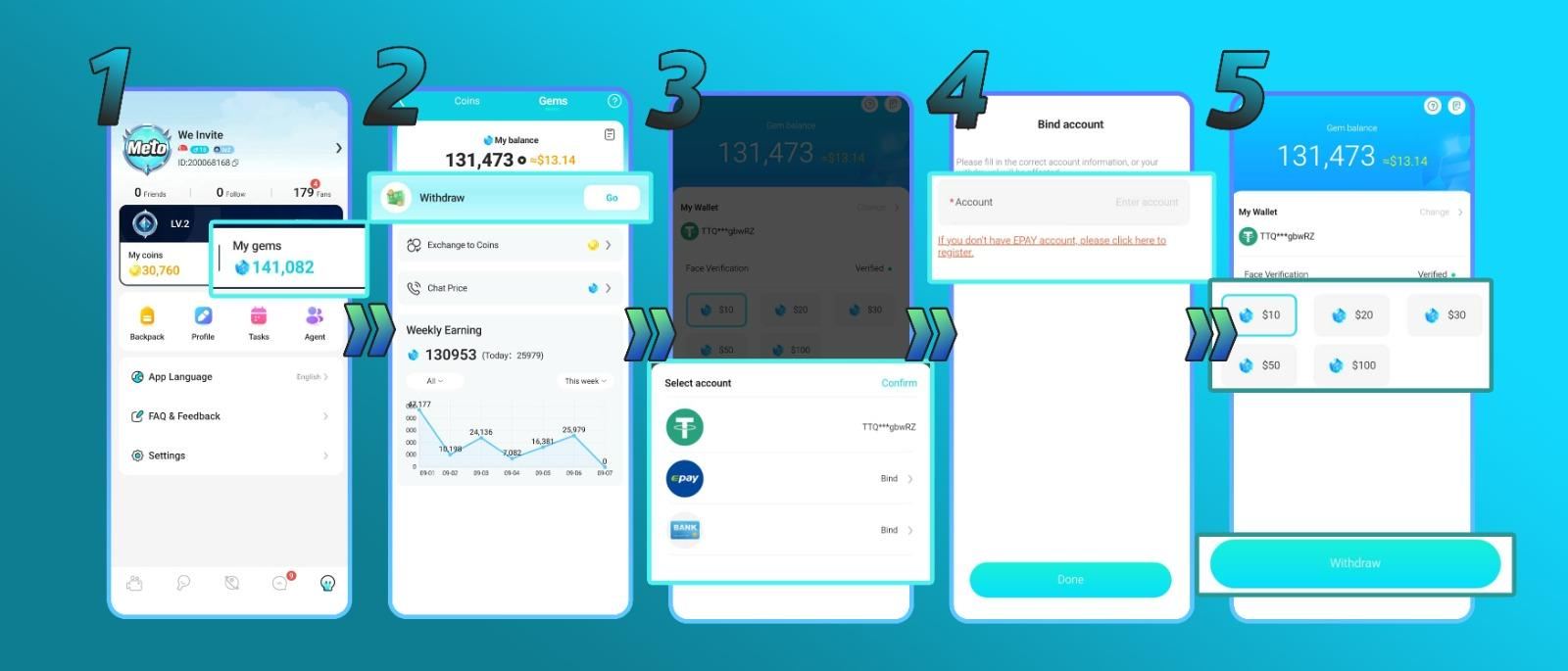
Hosts and Agents can withdraw earnings through the Meto Live app after meeting the minimum balance requirement. Make sure you are using a verified Host or Agent account before withdrawing.
Payout methods, minimum withdrawal, processing time, and availability may vary depending on country, payout provider, account status, and Meto Live policy.
Yes. You need to download the app, create an account, and copy your Meto ID before registering as an Agent.
Use the official Agency Registration link: agent.livetalkworld.com
Yes. Face verification is required to access Host features such as live streaming.
Yes. Agents can invite Hosts and Sub-Agents through the Agent menu in the Meto Live app.
Open your profile, click My Gems, connect your payout method through My Wallet, then select your withdrawal amount and submit the request.
Download Meto Live, choose your role as an Agent or Host, and follow the step-by-step guide to complete your setup.