Start your live streaming journey with Meto Live. As a Host, you can go live, interact with users, receive gifts, join bonus programs, earn from private calls, and withdraw your earnings after meeting the minimum balance requirement.
A Meto Live Host is a creator who connects with users through live streaming, chat, video calls, and other interactive features inside the Meto Live app.
Hosts can build exposure through attractive profiles, active interaction, consistent streaming, and good live performance. The more active and consistent a Host is, the better the opportunity to receive gifts, bonuses, and higher payout.
Turn your live interactions into earning opportunities.
Hosts can receive gifts during public and private live streams.
Hosts may receive gifts from 1-on-1 messages and group chats.
Hosts can earn diamonds every minute during private calls.
Hosts can earn monthly bonuses, weekly rewards, ranking rewards, and task rewards based on performance.
A clear profile picture, attractive live cover, and greeting words can help attract more calls, viewers, and exposure.
Follow these steps to create your account and prepare your profile as a Meto Live Host.
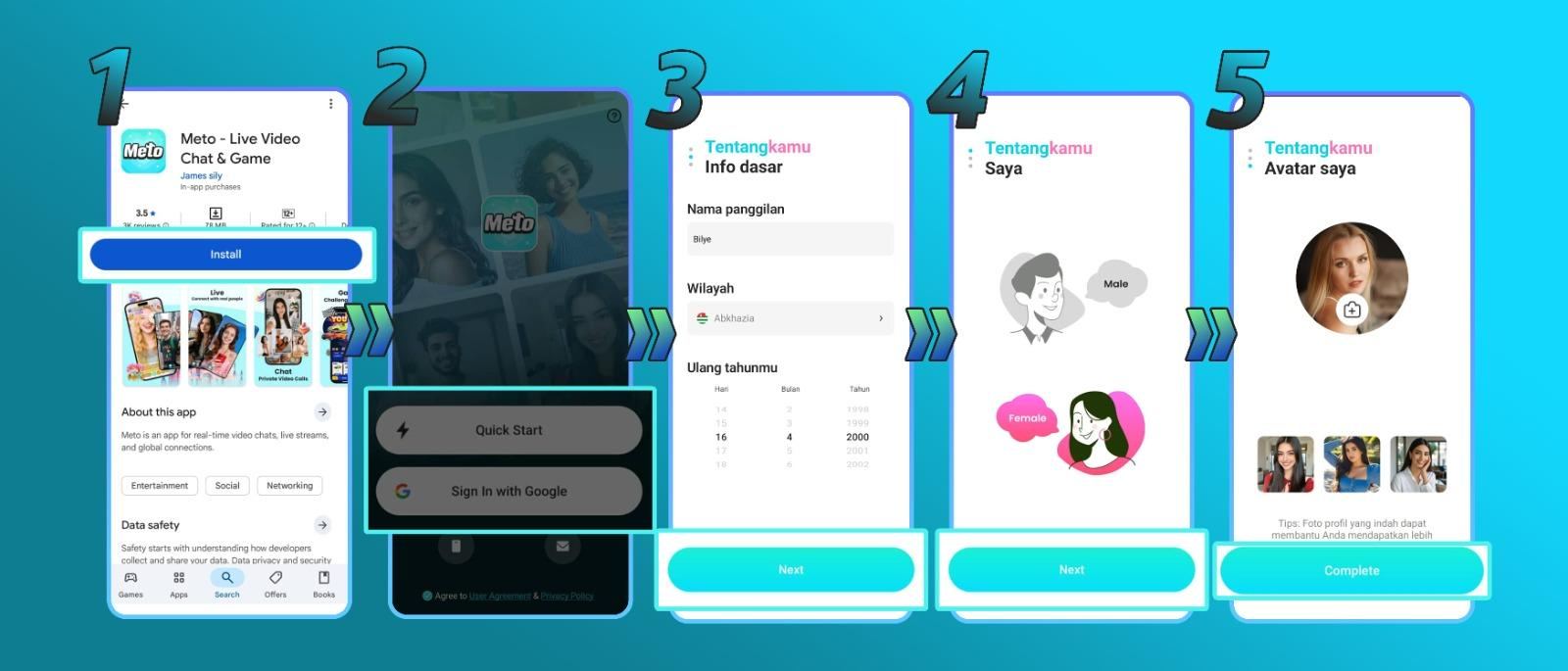
Download the Meto Live app using the official download link, then register your account.
Download NowFill out your profile information, including name, profile photo, gender, and other required profile details.
After filling in your profile details, click Complete to finish the basic Host registration process.
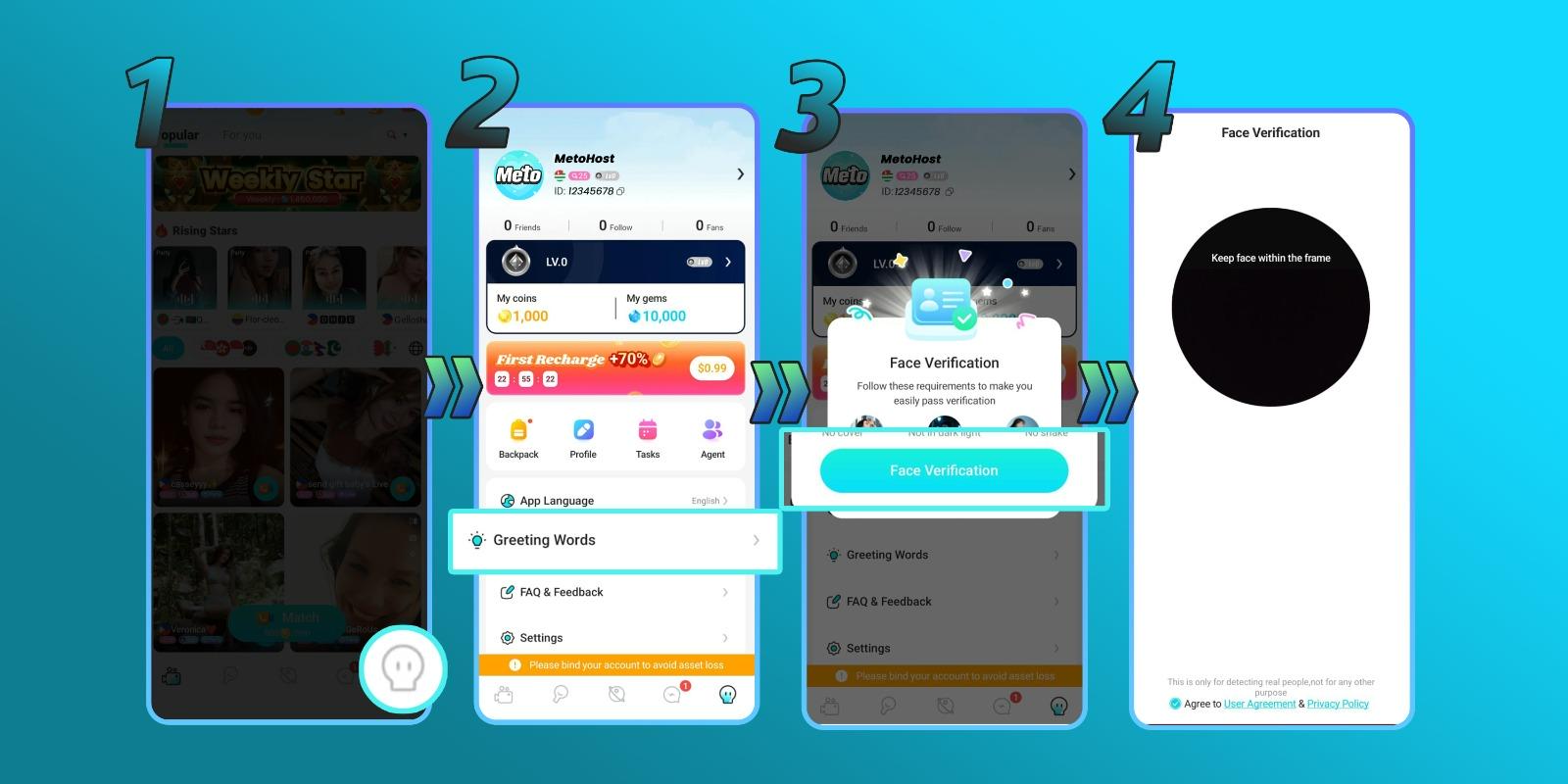
Face verification is required to access Host features such as live streaming. Make sure you use your Host account and follow the instructions shown inside the app.
Login to Meto Live using your Host account.
Visit your profile, then click the Greeting Words menu.
Follow the instructions shown in the app. You may need to face the camera, blink, or move your head as instructed.
After completing verification, you can start using Host features such as live streaming.
Meto Live gives Hosts multiple earning opportunities through interactive features and performance-based rewards.
Meto Live supports public and private live broadcasts. Hosts can receive gifts during live streams.
Hosts can receive gifts from 1-on-1 messages and group chats.
Hosts can receive gifts during party mode, a virtual party feature where multiple users can interact.
Hosts can earn monthly bonuses based on performance.
Hosts may receive rewards for being in top rankings each week or each month.
Hosts can earn diamonds every minute during private calls.
Hosts can sell videos, photos, or recordings of live streams.
Hosts can get paid per match.
A good Host profile can help increase exposure, attract more viewers, and improve the chance of receiving calls or interactions.
Greeting Words are shown when someone tries to contact the Host. Hosts can set pictures, videos, and a text message as part of their greeting. A refined and attractive greeting may help attract more calls and exposure.
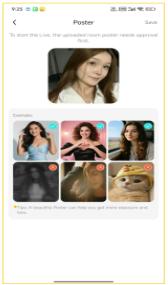
Use a clear, attractive, and appropriate personal photo for your profile picture and live cover.
Before joining as an active Host, you may need to prepare for a trial broadcast or audition.
The administrator will review the Host's audition and inform which Hosts have passed.
Hosts should maintain a professional, safe, and engaging live streaming environment. These requirements help improve viewer experience and protect Host eligibility for salary, bonus, and rewards.
Hosts must follow Meto Live rules to maintain account eligibility and access to rewards.
Meto Live may offer bonus opportunities for qualified Hosts based on performance, activity, and account status. Bonus rules may vary depending on the program and latest platform policy.
New Hosts may receive a basic salary and bonuses if they meet the required conditions, such as being registered for less than one month and completing the required live streaming hours.
Qualified Hosts may receive higher basic salary and bonus opportunities if they meet requirements such as live streaming hours, call connection rate, and weekly earning targets.
Bonus amount, salary, requirements, and eligibility may change based on Meto Live's latest policy, country availability, account status, and Host performance.
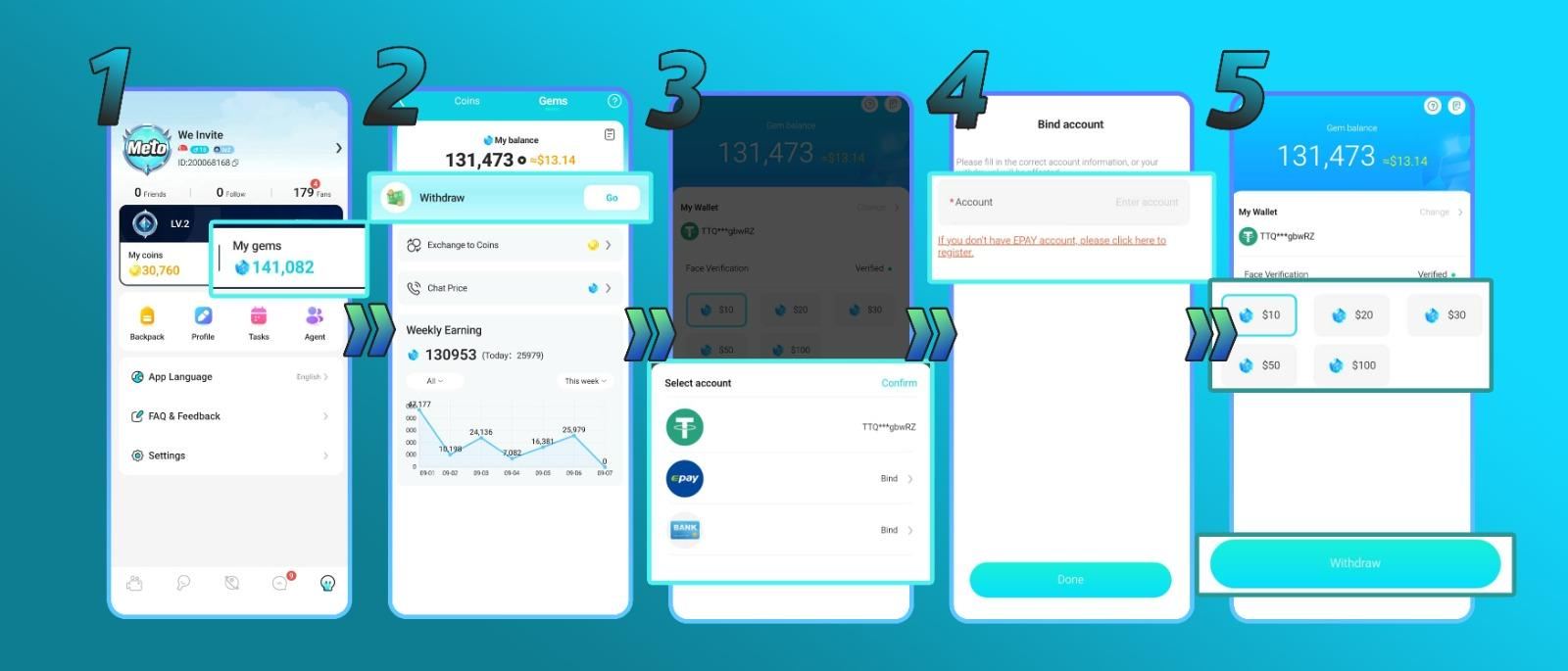
Hosts can withdraw earnings after meeting the minimum balance requirement.
Withdrawals may be paid on the third day and arrive within 24 hours after payment. Supported methods may include Bank Transfer, E-Pay, USDT/TRC-20, GCash, PayMaya, and other available methods depending on country.
Payout methods, conversion rates, minimum withdrawal, payment schedule, and processing time may vary depending on country, account status, payout provider, and platform policy.
Yes. Face verification is mandatory to access Host features such as live streaming.
Hosts can earn from live gifts, chats, party mode, monthly bonus programs, ranking rewards, paid video calls, content selling, and random video match rewards.
The minimum withdrawal is $10.
The conversion rate is 10,000 gems = $1.
No. One user can only have one authenticated account, and using other people's accounts or multiple accounts simultaneously is prohibited.
No. Minors are prohibited from appearing on camera.
Download the Meto Live app, register your account, complete your profile, finish face verification, and start earning through live streaming, gifts, video calls, and bonuses.